
How to Auto-Assign Asana Tasks to Your Least-Busy Teammate (or Round-Robin)
A new request lands in your queue. Who picks it up?
Usually it's whoever didn't look away fast enough. Or it's you, the manager, hand-rotating tickets so the same person doesn't drown. Picture a support project where every incoming ticket drops into an "Inbox" section. Priya has 40 open tasks. Marco has 3. And the next one? It goes to whoever grabs it, which is usually Priya again, because she's the one paying attention.
So you play traffic cop. You open each ticket, glance at who's already buried, and reassign by hand. You keep a mental list of whose turn it is. And when someone's out on leave, you have to remember not to hand them anything, then remember to start again when they're back.
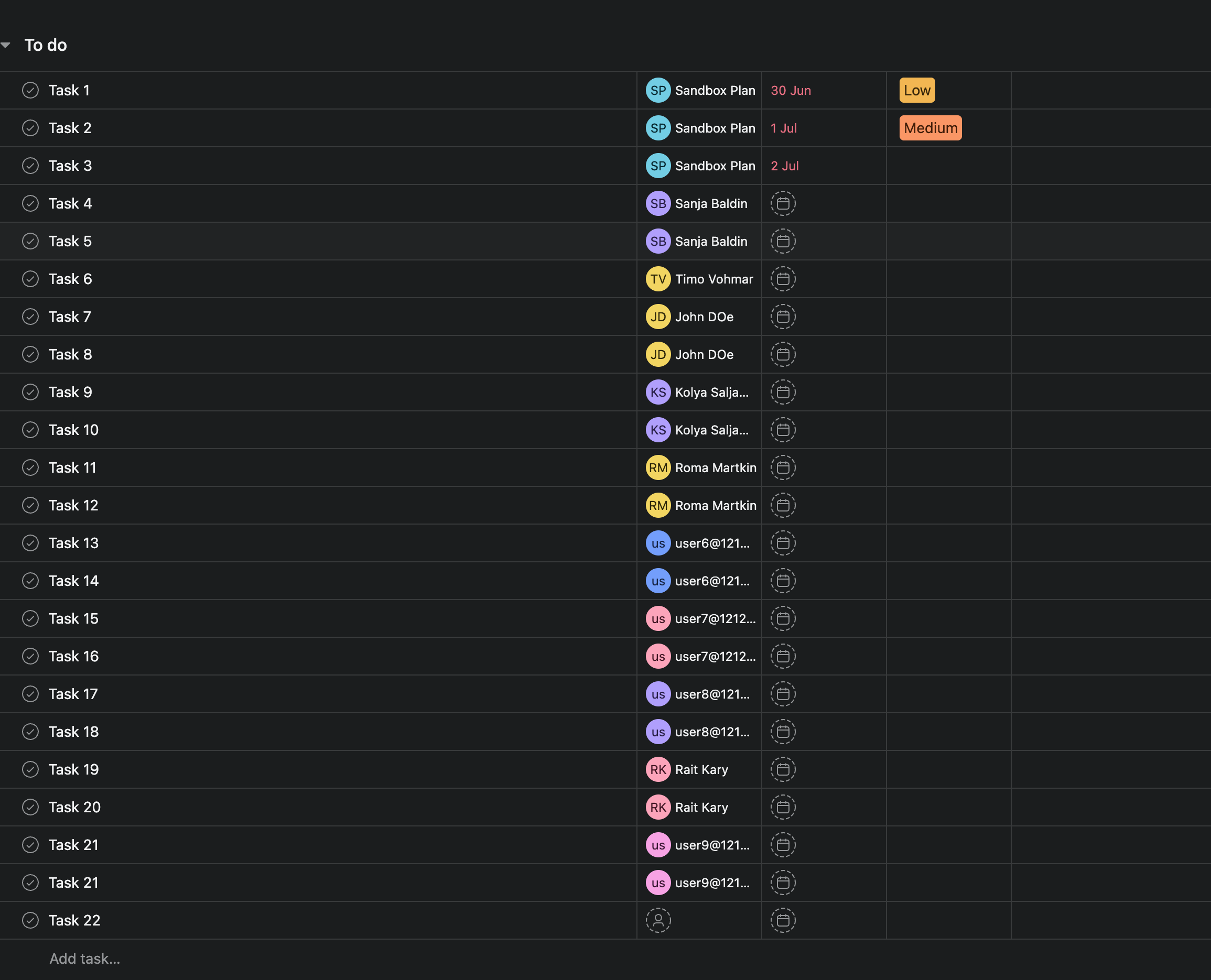
Here's the part that stings. Asana's own rules can assign a task, but only to one fixed person. You set the rule to "assign to Priya," and every single ticket goes to Priya, forever. There's no option for "assign to whoever's freest" and no option for "take turns." You get one name, and that's it.
DepFlow adds the action Asana is missing. It's called Smart assign, and it picks the right person for you, every time.
What Smart assign does
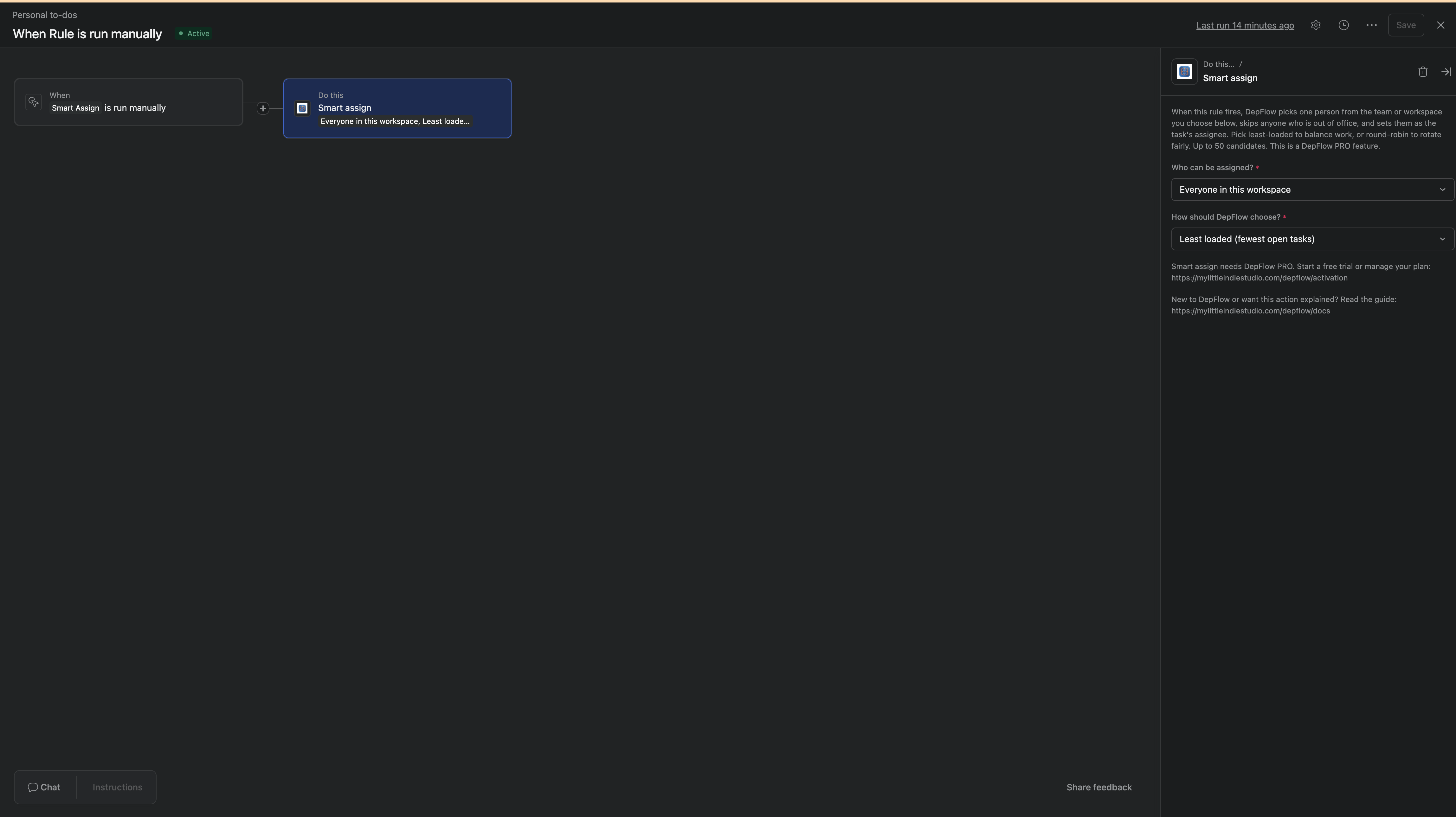
When the rule fires, Smart assign picks one person from a candidate pool you choose, skips anyone who's out of office, and sets them as the task's assignee. You don't hand-pick people per task. You define the pool once, and it decides.
Two choices shape how it behaves: who's in the pool, and how it picks.
The pool (pick one source):
- Members of a team: a picker lists your Asana teams, and the chosen team's members become the pool. Best for real org structure, like "route to the Support team." (Teams live in Organization workspaces.)
- Everyone in this workspace: every member of the current workspace is a candidate. No picker, nothing to maintain. Handy for small teams.
The two are mutually exclusive. You pick one source, not both.
The strategy (pick one):
- Least loaded (fewest open tasks): DepFlow counts each candidate's open assigned tasks and hands the new one to whoever has the fewest. Work flows to whoever has capacity.
- Round-robin (rotate through everyone): DepFlow hands the task to the next person in the pool, in turn, remembering where it left off between runs. Everyone gets an even share.
Either way, anyone marked out of office gets skipped, then picked back up when they return.
How to set it up
You do this once per project. Then it runs on its own.
- Open your project and go to Customize → Rules → Add rule.
- Pick a trigger. For a support queue, use something like "Task is added to this project" (or added to your Inbox section). If you'd rather fire it yourself, pick "Run manually," which puts a button on every task.
- Click Add action, search DepFlow, and choose Smart assign. The DepFlow actions sit right next to Asana's own.
- In the "Who can be assigned?" dropdown, pick your pool: Members of a team (then pick the team in the "Which team?" picker) or Everyone in this workspace.
- In the "How should DepFlow choose?" dropdown, pick your strategy: Least loaded (fewest open tasks) or Round-robin (rotate through everyone).
- Publish the rule. That's the whole setup.
A few things worth knowing, so you never have to second-guess it:
- It skips out-of-office people. Before choosing, DepFlow drops anyone with a scheduled out-of-office period covering the day the rule runs. When they're back, they're back in the rotation. (This uses Asana's scheduled out-of-office dates. It can't see an ad-hoc "away" status.)
- It never changes your team. Smart assign only reads the pool you point it at and sets one assignee. It never adds or removes members and never touches billing seats.
- It's safe when there's no one to pick. If the pool is empty, or everyone in it is out of office that day, DepFlow makes no change and records a clear "skipped, no one available" outcome. It never errors or assigns the wrong person.
What you get
Once the rule runs, your queue assigns itself.
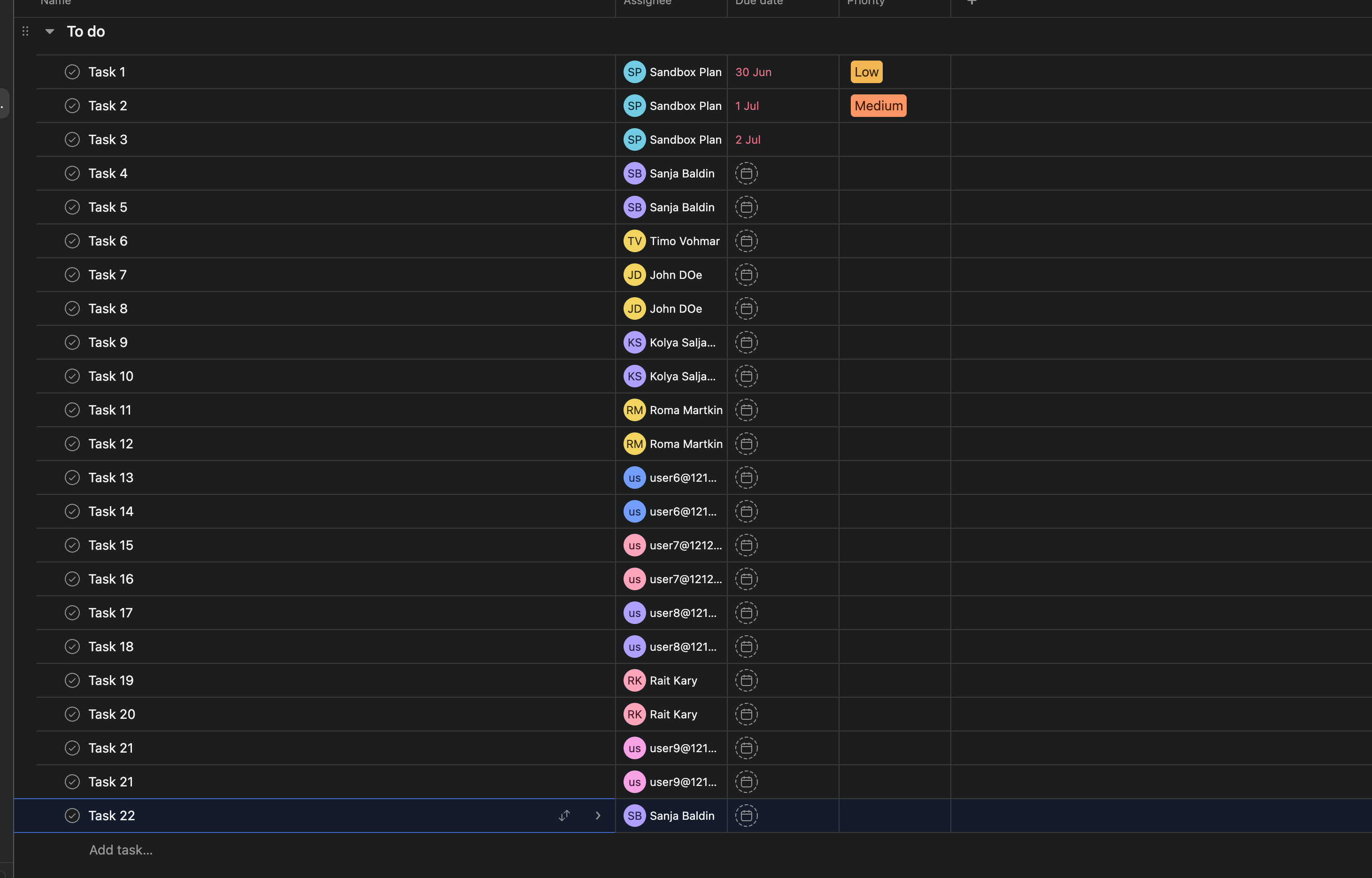
New ticket lands in the Inbox. If you chose Least loaded, it goes to Marco, because he has 3 open tasks and Priya has 40. The load balances on its own, without you watching the numbers. If you chose Round-robin, tickets spread in turn: one to Marco, the next to Priya, the next to the third teammate, fairly and in order, without anyone tracking whose turn it is.
And when Sam is on leave, Sam gets stepped over. When Sam returns, Sam is picked back up. You didn't touch a thing.
Which strategy should you use?
Both are one dropdown apart, so pick by the job.
- Least loaded balances a shared queue by capacity. Use it when the goal is "nobody drowns while someone else is idle," like a support inbox or a bug triage board.
- Round-robin gives you a strict, predictable rotation. Use it when fairness by turn matters more than current load, like an on-call list or a code-review roster where everyone should get an even count.
If you're not sure, start with Least loaded. It's the one most queues want.
A note on pricing
Smart assign is a PRO action. On a Free workspace, a rule that uses it is skipped and recorded as "PRO required," so it's clear why nothing happened.
The upside: one PRO subscription unlocks the whole DepFlow set, not just this one action. Smart assign, deferred comments, task duplication, and the section-level gates all come with it, for one flat price.
More missing rule actions
Smart assign is one of the actions Asana leaves out of its rule builder. There are others:
- Duplicate task: clone a task into another project on a trigger, choosing what carries over and building a clean name from placeholders.
- Scheduled comment: post a comment later, after a delay or on a specific date, instead of the instant the rule fires.
For the full picture of what DepFlow adds, see the five missing rule actions. One PRO subscription covers the set.
But you don't need to read all of that to stop hand-rotating your queue. Add the rule, pick a pool, pick a strategy, publish. Then let it assign itself.
Get DepFlow: it is free on the Asana App Directory. Install it once, add a rule, and it does the wiring the moment your rule fires. See all the actions and plans.