
How to Build an SLA / Escalation Timer in Asana
A support ticket lands in your queue. Someone should touch it within two days. Two days pass. Nobody did. Asana said nothing, because a task sitting still is invisible to it. A stalled task never nags, never escalates. It just waits with you.
You know this pattern from bug reports, onboarding tasks, approval requests. Each one has a clock on it in your head, but not in your tool.
Native Asana rules can't build this. Here is why, and then the one rule that can.
The manual pain
Try to build "wait two days, then nudge if it's still open" with native Asana rules. You cannot.
Here is why.
An Asana rule fires once, at the moment its trigger happens. There is no timer step. You cannot say "wait, then do something." So the instant a ticket is created, any comment you attach fires right then, when the ticket is fresh and nobody is late. It is noise, not a nudge.
And even if you could delay it, native rules never re-check the task. They act on the task's state at trigger time, not two days later. A rule has no way to know whether the ticket is still open or was quietly closed an hour ago. It would nudge either way.
So teams fall back to humans:
- Someone eyeballs the queue every morning looking for stale tickets.
- Someone keeps a private "chase these up" list.
- Someone sets a personal reminder and forgets it.
That is a person doing a computer's job, and missing things when they are busy.
The one rule
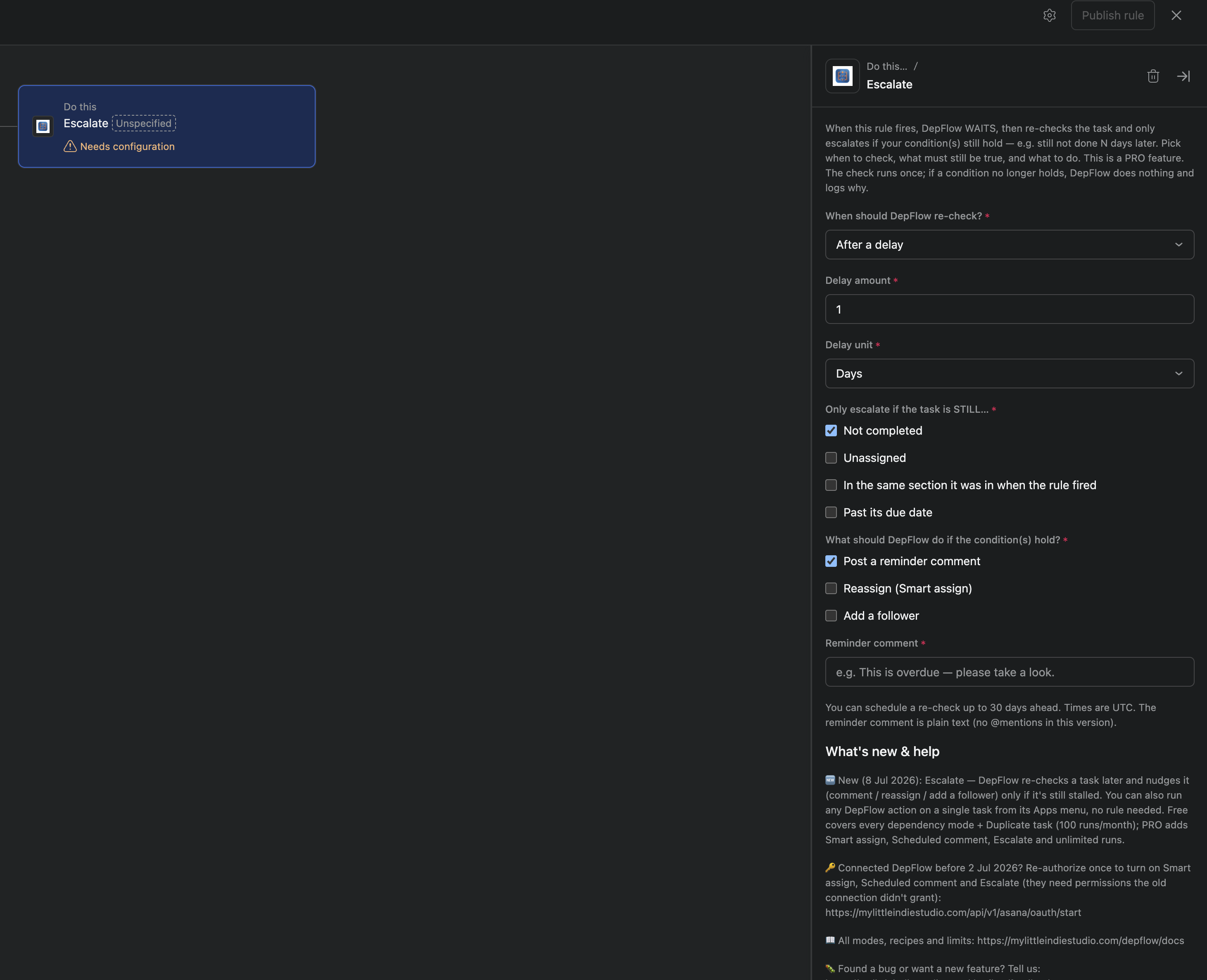
DepFlow adds an Escalate action to Asana's rule builder. It is a deferred, conditional escalation. In plain words, it waits, then it re-checks the task, and it only acts if the task is still stuck. If the ticket already moved, Escalate does nothing and records why.
Escalate is a PRO action.
Our scenario
A support ticket SLA. When a ticket lands, if it is still open two days later, post a nudge comment and add the team lead as a follower so they can see it without taking it over.
Here is the setup.
- Open the project's rules and create a new rule (or open an existing one).
- Set the trigger you already use for incoming tickets. For example, "Task added to this project," or "Task moved to section: Incoming."
- Add an action and pick Escalate from the DepFlow actions.
- Under When should DepFlow re-check?, choose After a delay. Set the Delay amount to
2and the Delay unit to Days. - Under Only escalate if the task is STILL…, tick Not completed.
- Under What should DepFlow do if the condition(s) hold?, tick Post a reminder comment and Add a follower.
- In the Reminder comment field, type your nudge, for example:
This ticket is still open after 2 days. Please take a look. - In the Follower to add (email or "me") field, type the lead's email, for example
lead@yourcompany.com. - Save the rule.
That is the whole thing. From now on, every ticket that hits the trigger gets its own two-day clock, and only the ones that are still open when the clock runs out get nudged.
What you get
An SLA timer that runs itself, without the morning queue-scrubbing or the personal reminders. Tickets that get handled in time are left completely alone, because Escalate looks before it acts. Tickets that stall get chased automatically, on the exact clock you set.
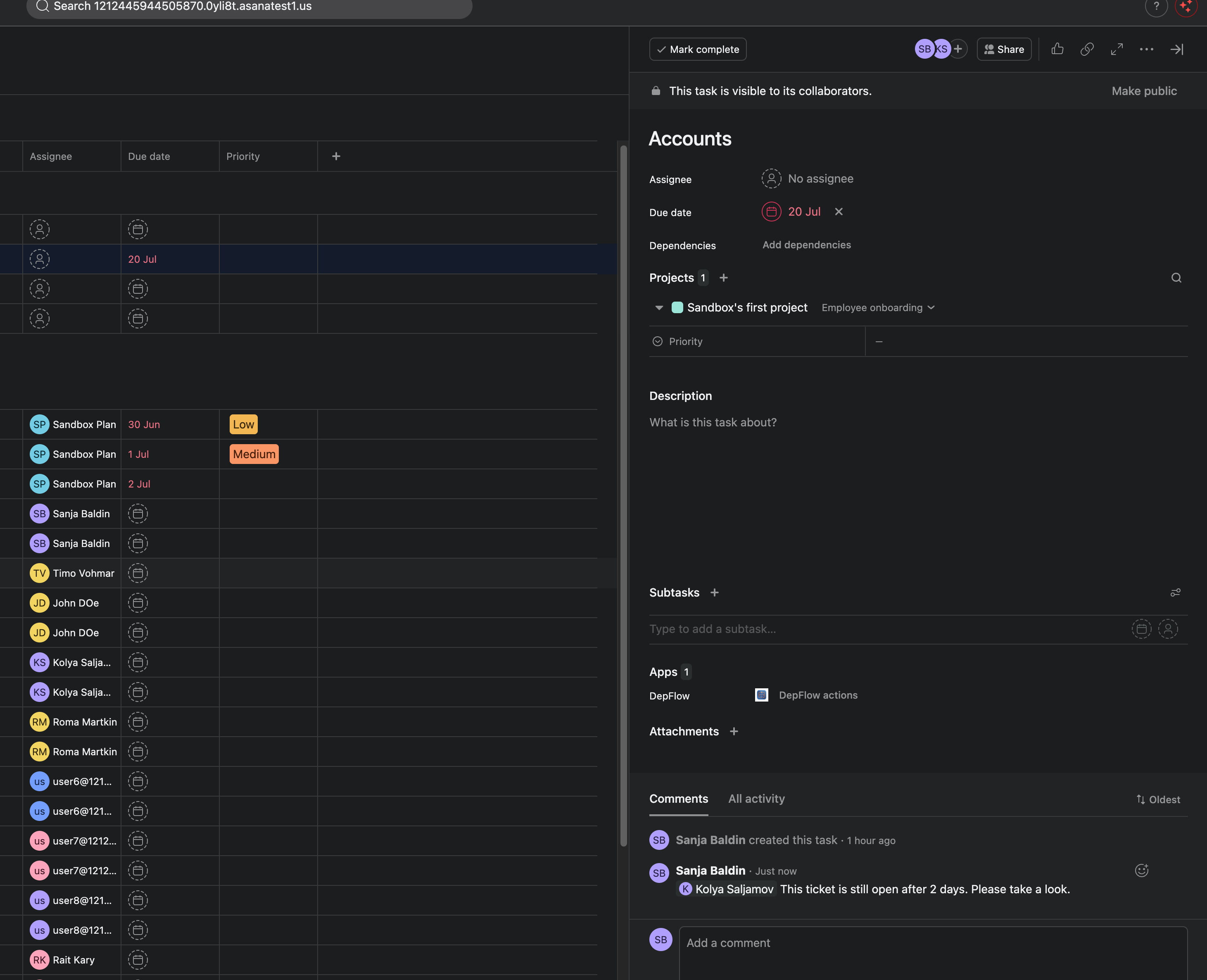
The wording on each part of the form matters, so here is what each one does.
The timing: when should DepFlow re-check?
One dropdown, When should DepFlow re-check?, sets the timer, and the matching fields appear underneath it. There are two modes.
After a delay. You set a Delay amount and a Delay unit (Minutes, Hours, or Days). The re-check runs that long after the rule fires. In our scenario that is 2 Days after the ticket lands.
Relative to the task's due date. You set an offset (a How far from the due date? amount and a Due-date offset unit of Minutes, Hours, or Days) and a direction: Before the due date, After the due date, or On the due date. So you can re-check "1 day after it was due" or "on the due date itself." Set the offset to 0 with On the due date to check on the due date exactly. If the due date is already in the past when the rule fires, the check runs right away.
You can schedule a re-check up to 30 days ahead. Anything further out is rejected when the rule runs and recorded with a clear reason, so nothing gets silently lost. Times are UTC.
The condition: only escalate if the task is STILL…
This is the part native Asana cannot do. At check time, DepFlow re-reads the task and only escalates if the condition(s) you ticked are all still true right then. You can tick one or more of:
- Not completed (the task has not been marked done).
- Unassigned (nobody has picked it up).
- In the same section it was in when the rule fired (it has not been dragged onward, for example still sitting in "To do" rather than moved to "In progress").
- Past its due date (the due date has passed and it is still open).
This re-read is the whole point. Escalate reflects the task's state at check time, not at rule time. A ticket that quietly got resolved never gets a needless nudge.
The escalations: what should DepFlow do if the condition(s) hold?
If (and only if) the condition still holds, DepFlow runs the escalations you ticked. They run together. You can pick one or more of:
- Post a reminder comment. A plain-text comment you write in the rule ("Reminder comment" field). No @mentions or variables in this version; it posts exactly as written.
- Reassign (Smart assign). Hand the task to someone using the same engine as Smart assign. You pick Anyone in the workspace or A specific team as the pool, and a strategy: Fewest open tasks or Round-robin (rotate fairly). Anyone out of office is skipped.
- Add a follower. Loop a specific person in by email, or type
mefor the connected account, so a lead sees the task without taking it over. That is the one we used for the team lead above.
If the condition does not hold at check time, DepFlow does nothing and records why (for example, "still not completed" was ticked but the task was completed). Nothing fires on tasks that already moved.
Honest notes
- Escalate is a PRO action. On a Free workspace the form shows a note, and if a rule was set up under PRO and the license later lapses, the run is skipped (nothing is scheduled) and recorded as "skipped, PRO required." The rule is never broken.
- The escalation is conditional. It only fires if the task is still stuck at check time. This is by design and it is what makes Escalate safe to leave running.
- Reassign uses Smart assign semantics, which means anyone out of office is skipped when picking the new assignee.
- One PRO subscription unlocks the whole DepFlow set, not just Escalate.
- No new permissions. Escalate reuses what DepFlow already does: comment on a task, set an assignee, add a follower. If Smart assign and Scheduled comment already work in your workspace, Escalate will too.
Related actions
- Scheduled comment posts a comment after a delay unconditionally. Escalate is the careful version: it looks first and can decide to stay quiet.
- Smart assign is the reassignment engine Escalate borrows for its reassign step.
- The five missing rule actions is the umbrella tour of everything DepFlow adds to Asana rules.
Get DepFlow: it is free on the Asana App Directory. Install it once, add a rule, and it does the wiring the moment your rule fires. See all the actions and plans.