
How to Automatically Duplicate a Task in Asana
Every Monday, the same task. Every new client, the same checklist. You know the drill.
You open last week's status report. You click the three dots. You hit Duplicate. Then you rename it, fix the date, and drag it into the right project. Then you do it again for the next client. And again.
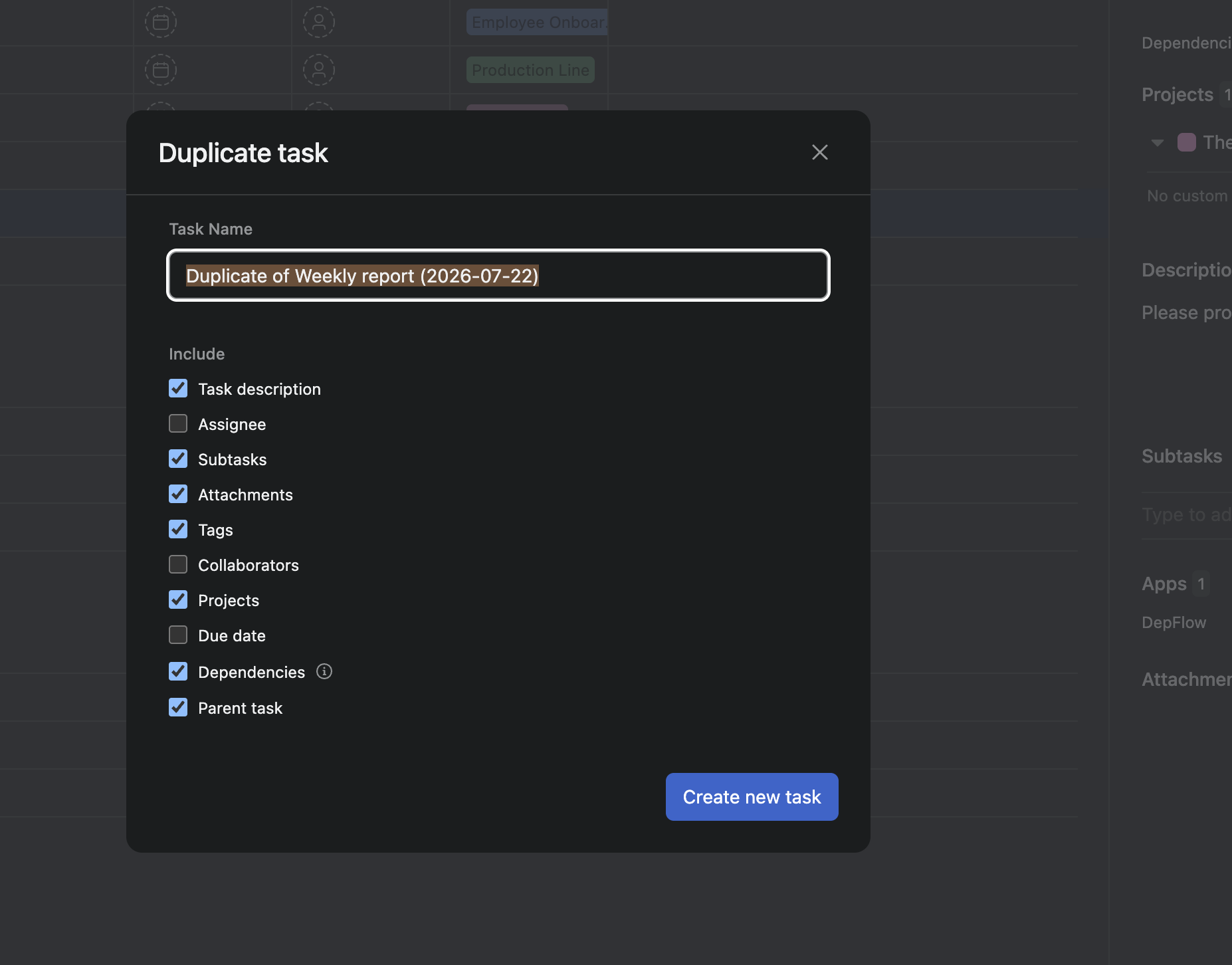
Here is the frustrating part. Asana's rules can duplicate a rule and even a whole project. But there is no native rule action that duplicates a single task. So the one thing you actually repeat, cloning a task, stays manual forever. That is where the "Copy of Copy of Weekly report" mess comes from.
DepFlow adds the missing action. On any trigger you choose, it creates a real, independent copy of the task. You pick what carries over, where it lands, how the due date shifts, and what it is called. Then you never touch it again.
What you are about to build
A rule that says: when this happens, make me a fresh copy of the task, set up exactly the way I want it. No opening, no renaming, no dragging.
Two real examples run through this guide:
- A recurring weekly report. One rule spins up next week's report, fully built, with the date already in the name and the due date pushed out seven days.
- A per-client onboarding checklist. A tagged task gets cloned into that client's own project, description and assignee intact, so the checklist starts in the right place on its own.
Let's set it up.
Before you start
DepFlow needs to be installed in your Asana workspace and connected. If it is not, install it free from the Asana App Directory (search "DepFlow"), approve the permissions once, and you are ready. The actions then show up right next to Asana's own in the rule builder.
Setup: the recurring weekly report
1. Open your project's rules
Go to your project, open Customize, then Rules, then Add rule.
2. Pick a trigger
Choose whatever should kick off the copy. For a report you want to make on demand, Run manually works well (you press a button when you want next week's report). For an intake flow, a trigger like "Task is added to this project" or a status change is a better fit.
3. Add the DepFlow action
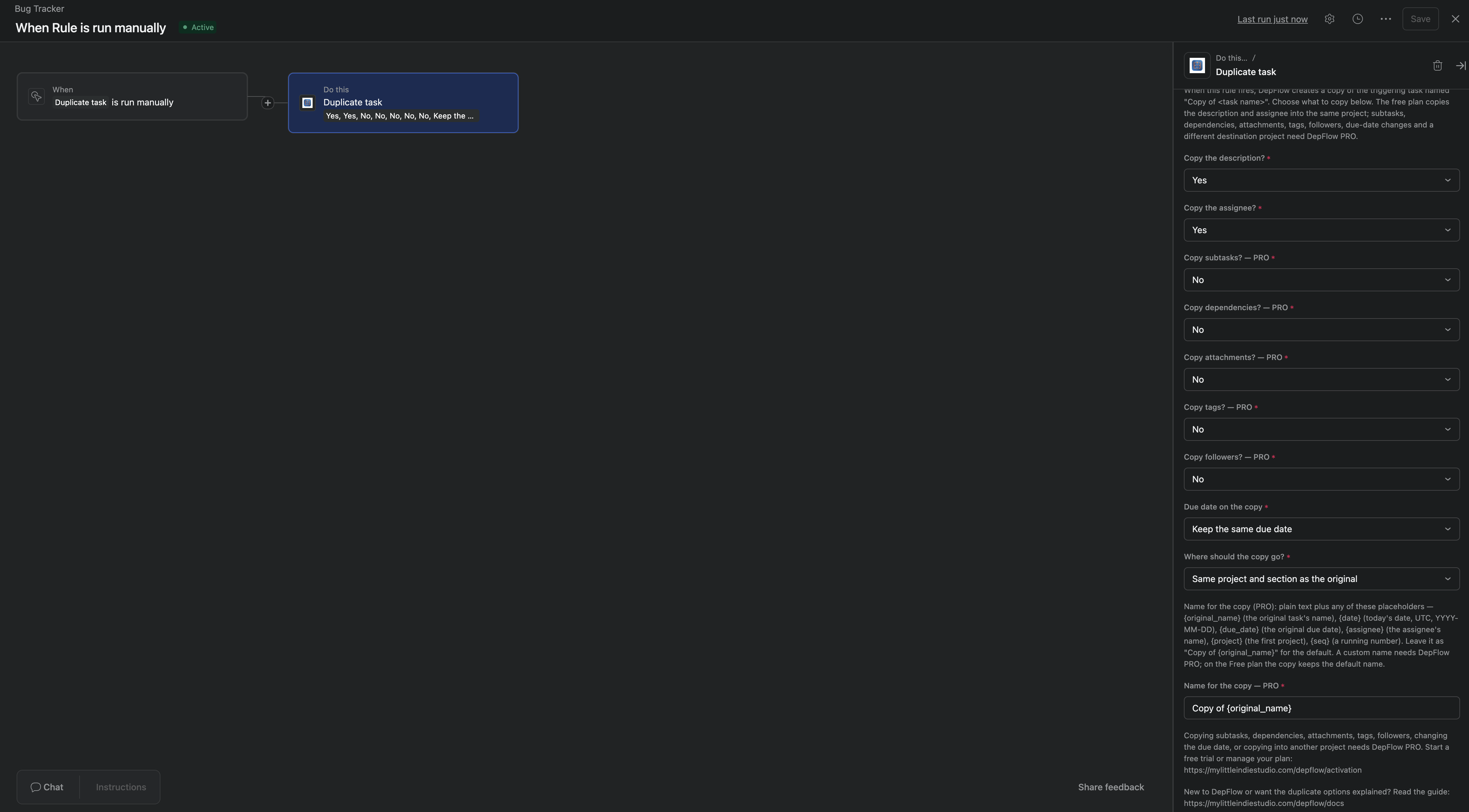
Under Add action, search DepFlow and pick Duplicate task. The form opens.
4. Choose the due date behavior
Find Due date on the copy. It has three options:
- Keep the same due date. The copy inherits the original's due date unchanged.
- Clear the due date. The copy starts with no due date.
- Shift the due date by N days. A second field appears. Enter
7for a week later, or-3for three days earlier.
For a weekly report, pick Shift the due date by N days and enter 7. Each new copy lands one week out.
5. Set the name
Find Name for the copy. By default it reads Copy of {original_name}, which is how you get the dreaded "Copy of Copy of." Replace it. You can mix plain text with placeholders that fill in when the rule runs:
{original_name}becomes the original task's name.{date}becomes today's date (UTC, YYYY-MM-DD).{due_date}becomes the original task's due date.{assignee}becomes the assignee's name.{project}becomes the original's first project.{seq}becomes a running number that increments each run.
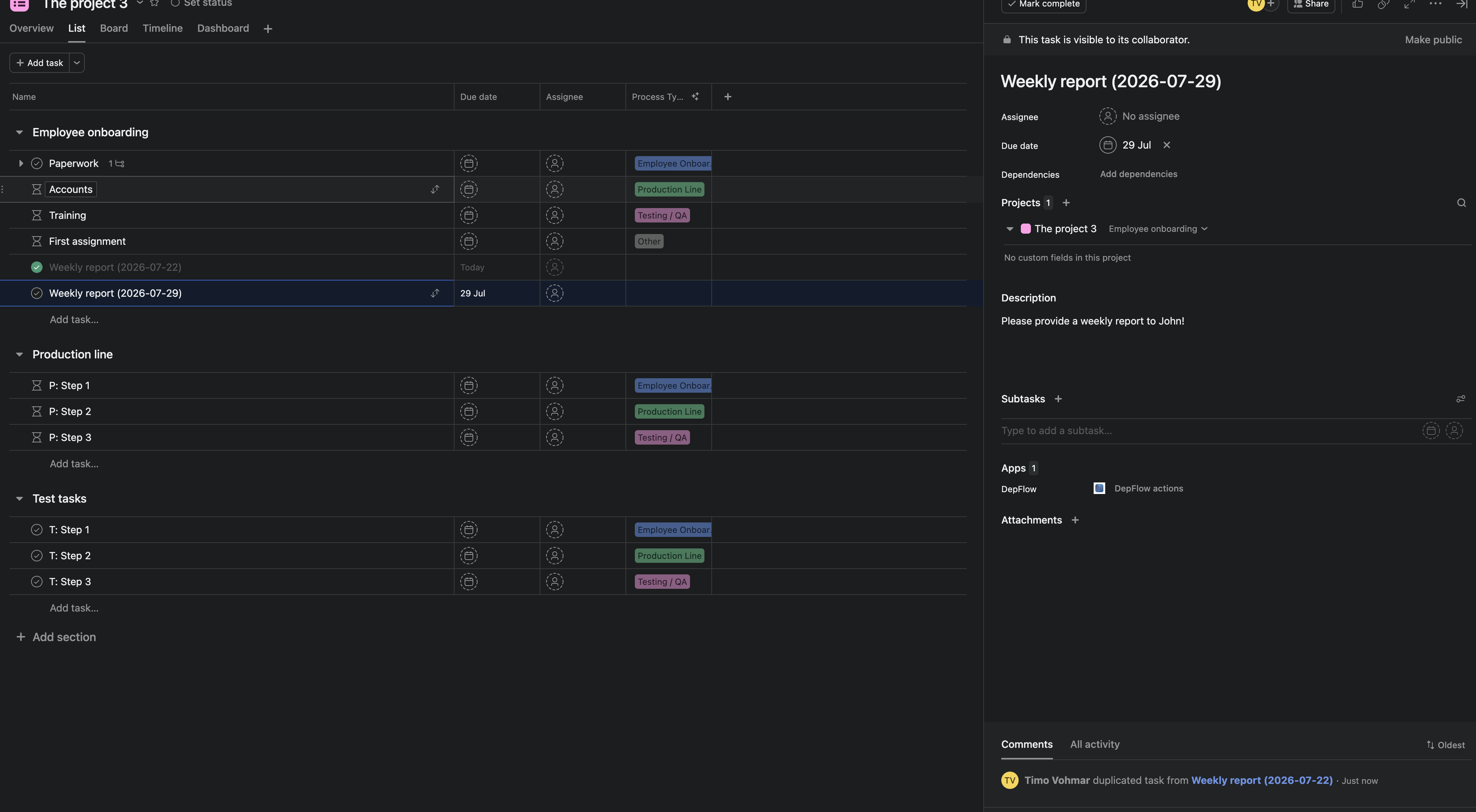
For the report, use {original_name} ({date}). It produces "Weekly report (2026-06-24)," a clean, dated name every time. (Names are capped at 255 characters.)
6. Save
Hit Save. Now each time the rule fires, DepFlow builds next week's report for you, correctly named and dated.
Setup: the per-client onboarding checklist
Same action, a couple of different fields. This one clones a task into a specific project instead of leaving it in place.
1. Trigger on a tag
Add a rule with the trigger "Task is tagged" (or moved into a section), tag name template. When you tag your onboarding checklist, the rule fires.
2. Add Duplicate task, then choose what to copy
Add the Duplicate task action. Set the toggles you care about to Yes:
- Copy the description → Yes (the checklist steps live here).
- Copy the assignee → Yes.
- Copy subtasks → Yes if your checklist is built from subtasks.
Leave the rest at No unless you actually need them.
3. Send it to the client's project
Find Where should the copy go? and pick A specific project. A project picker appears with live search across your workspace. Choose the client's project. The copy is created only there, not in the original's project. Your master template stays put.
4. Save
Save the rule. Now tagging the template drops a ready-to-go onboarding checklist straight into the client's board.
What carries over (the full toggle list)
Every copy option is a simple Yes / No, and all of them are on the Free plan:
- Copy the description (on by default)
- Copy the assignee (on by default)
- Copy subtasks (off by default)
- Copy dependencies (off by default)
- Copy attachments (off by default)
- Copy tags (off by default)
- Copy followers (off by default)
The defaults are picked so you usually only flip one or two toggles. Turn on what you need and skip the rest.
What you get
The copy is a real, independent Asana task. DepFlow creates it with Asana's native duplicate, so it behaves exactly like one you would make by hand. Nothing links back to the original, and DepFlow never edits or deletes the source task.
A few things worth knowing:
- No infinite loops. DepFlow remembers the tasks it creates, so a copy can never re-trigger the same Duplicate rule and spawn copies of copies.
- Re-running is safe. Firing the same rule twice on the same task returns the original outcome instead of duplicating again.
- It is all Free. The whole Duplicate task action (every copy toggle, the due-date modes, a specific destination project, and the name template) is on the Free plan, within a shared limit of 100 rule runs per month across your workspace.
Where this fits
Duplicate task is one of several rule actions DepFlow adds to fill the gaps Asana's own rules leave open. For the full picture, see the five missing Asana rule actions.
And if you want the copy to land on the right person automatically instead of inheriting the original's assignee, pair it with Smart assign, which picks the least-loaded teammate and skips anyone out of office.
Get DepFlow: it is free on the Asana App Directory. Install it once, add a rule, and it does the wiring the moment your rule fires. See all the actions and plans.