
How to Post a Comment Later in Asana (Scheduled Reminders That Actually Fire)
A task stalls. You tell yourself you'll nudge it in two days. Two days pass, and you forget. The task keeps sitting there.
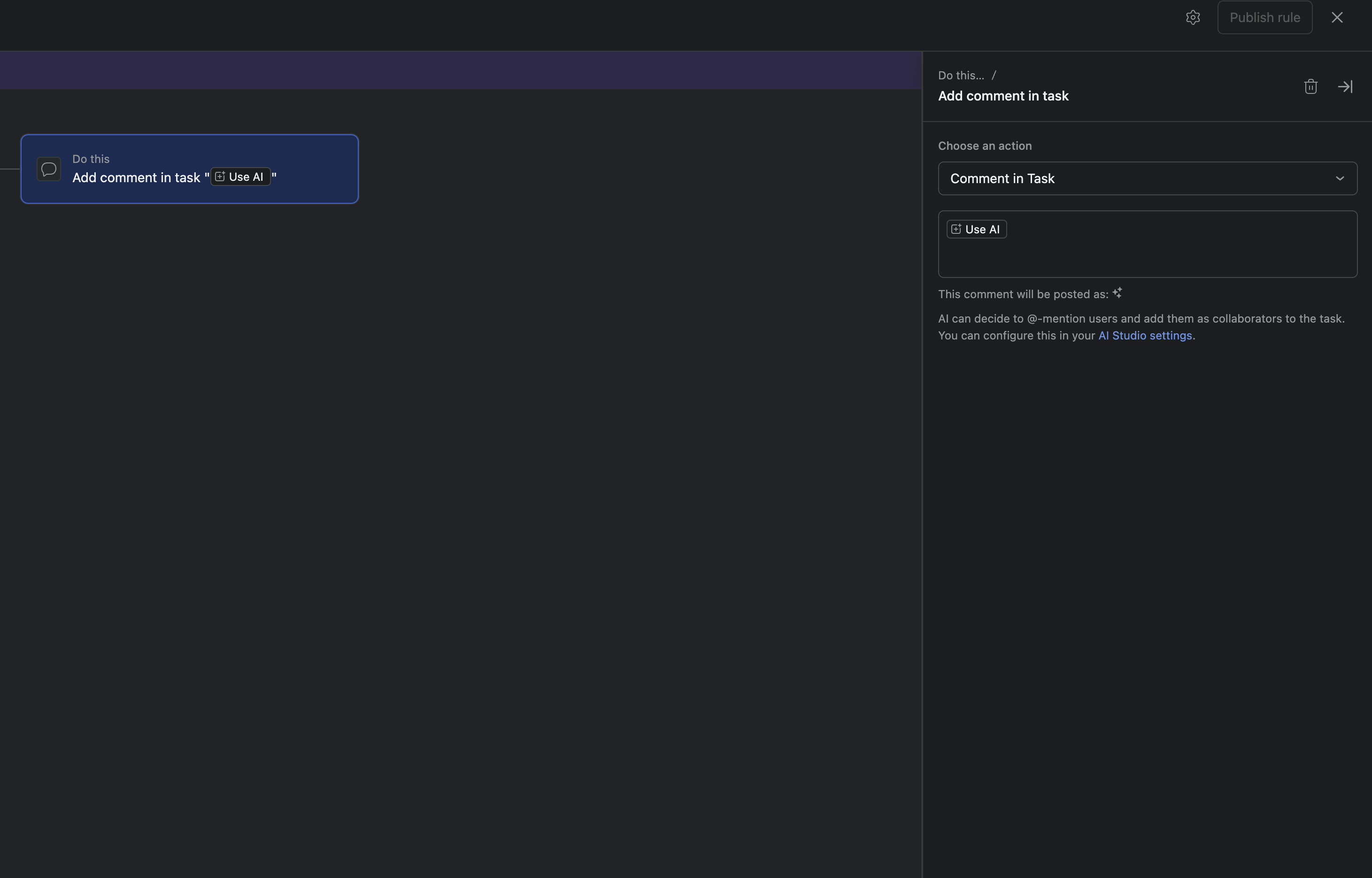
Here is the frustrating part. Asana already lets a rule post a comment, but it posts that comment the instant the rule fires. There is no "wait two days" step, and no way to hold a comment and drop it on the morning of a launch. An Asana comment goes out now, or you set it up by hand later.
So you fall back to memory. You set a reminder somewhere else, or leave a browser tab open, or just hope you'll remember. That means you are the system, and you will eventually drop the ball.
This is what DepFlow's Scheduled comment action fixes. You write the comment once, inside the rule. DepFlow holds it and posts it later, either after a delay or on a date you pick. The nudge shows up when it matters, and you never had to remember it.
The one rule
You set up a single rule. Once it is live, the reminder posts itself. Here is the full setup.
- Open your project and go to Rules → Create rule (or edit an existing one).
- Pick your trigger. For a manual nudge, Run manually works well. You can also use any automatic trigger (task added to a section, task marked complete, and so on).
- Under the action, click Add action.
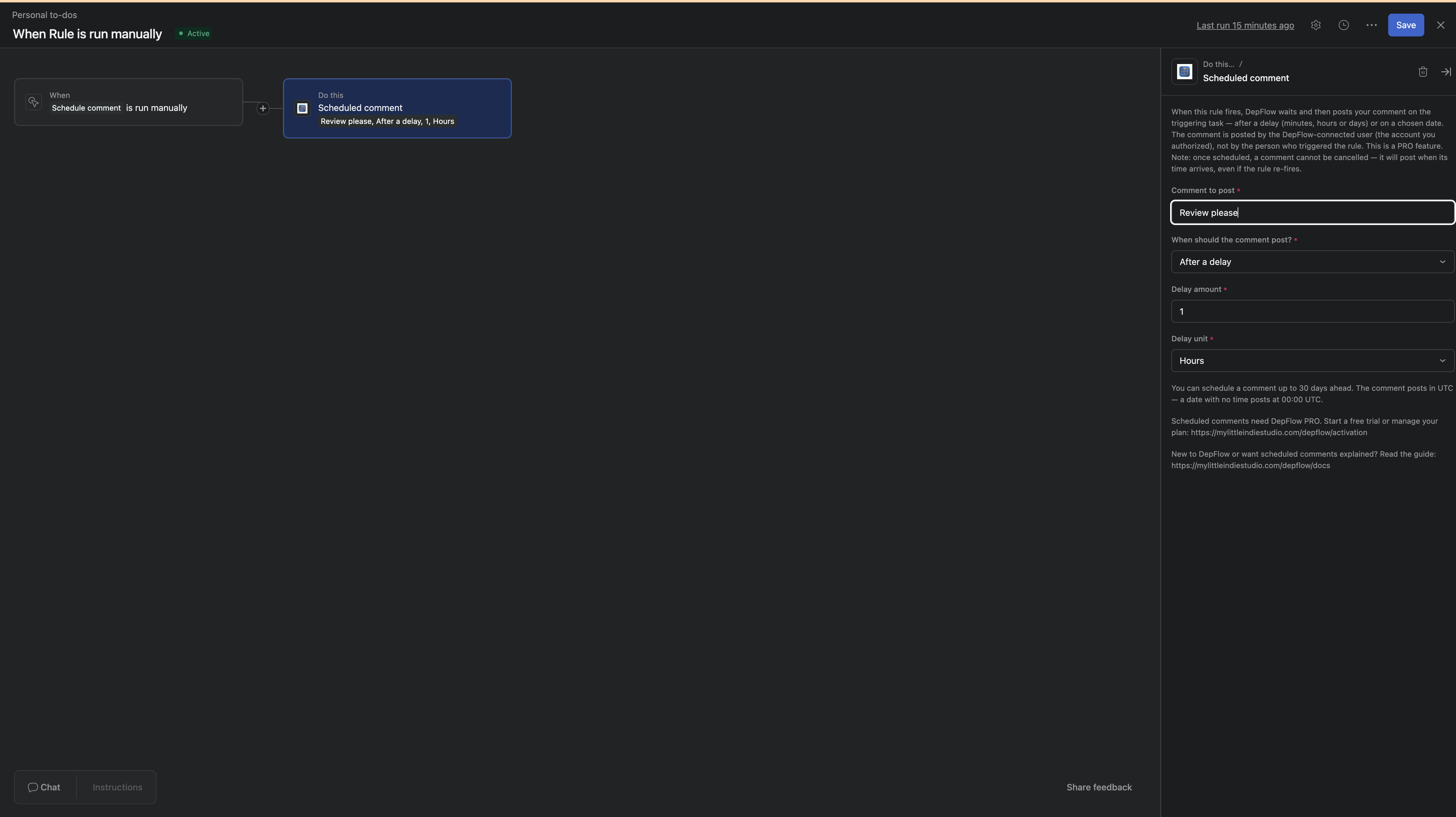
- In the action list, choose DepFlow, then choose Scheduled comment.
- In the Comment to post field, type the reminder exactly as you want it to appear. For example: "Still on track? Please update the status."
- Open the When should the comment post? dropdown and choose your timing (the two modes are explained below).
- Fill in the timing fields that appear (either a delay amount and unit, or a date).
- Publish the rule.
That is it. From now on, every time the rule fires, DepFlow holds your comment and posts it when its time arrives.
What you get
The comment appears on the triggering task at the moment you chose, not the moment the rule ran. If you picked "in two days," it lands two days later. If you picked a launch date, it is waiting on the task when the team opens it that morning.
It is an ordinary Asana comment, the same kind you would type by hand. DepFlow adds nothing else. It does not edit the task or move it, and it touches nothing but that one comment.
And you did the work once. No side reminders and no open tabs, so you never have to ask yourself whether you remembered to follow up. The rule carries it for you.
The two timing modes
The When should the comment post? dropdown has two options. Pick the one that fits the situation.
After a delay. Choose this when you want the comment a set amount of time after the rule fires. Enter a Delay amount (for example, 2) and a Delay unit (Minutes, Hours, or Days). So "2" plus "Days" posts the comment two days after the rule runs. This is the classic stalled-task nudge: the task moves into a "Stuck" section, the rule fires, and two days later the reminder lands on its own.
On a specific date. Choose this when you have an exact day in mind. Enter a Date to post (YYYY-MM-DD), for example 2026-07-15. The comment posts at 00:00 UTC on that day. This is the launch-day note: drop a briefing on the task so it is waiting the morning the phase begins.
Two things worth knowing before you set the day. You can schedule a comment up to 30 days ahead. Anything further out is rejected when the rule runs (nothing gets scheduled), so keep it inside the 30-day window. Times are in UTC, so a date with no time posts at midnight UTC. If you are far from UTC, allow for your own timezone when you pick the day.
An honest note
Here are the things to be clear about, so nothing surprises you later.
Scheduled comment is a PRO action. If a rule was built under PRO and the license later lapses, the run is skipped (nothing is scheduled or posted) and recorded with a clear reason. The rule itself never breaks.
The comment is posted by the DepFlow-connected account, the Asana user who authorized DepFlow, not the person who triggered the rule. So plan for whose name appears on the comment.
The comment is plain text. There are no @mentions and no placeholders in this version. What you type is exactly what appears on the task.
One more: once a comment is scheduled, it cannot be cancelled. It will post when its time arrives, even if the rule re-fires or the task changes.
One more thing on pricing. A single PRO subscription unlocks the whole DepFlow set, not just this action. The same subscription that gives you scheduled comments also gives you the rest.
Related DepFlow actions
- Want a nudge only if the task is still stuck, and escalation if it isn't? See SLA escalate. It looks first and can back off, where a scheduled comment always posts.
- Want incoming tasks handed to the right person automatically? See Smart assign.
- Want the full picture of what DepFlow adds to Asana rules? See the five missing rule actions.
Get DepFlow: it is free on the Asana App Directory. Install it once, add a rule, and it does the wiring the moment your rule fires. See all the actions and plans.