
Turn an Asana Section Into a Sequential Pipeline (Auto-Chained)
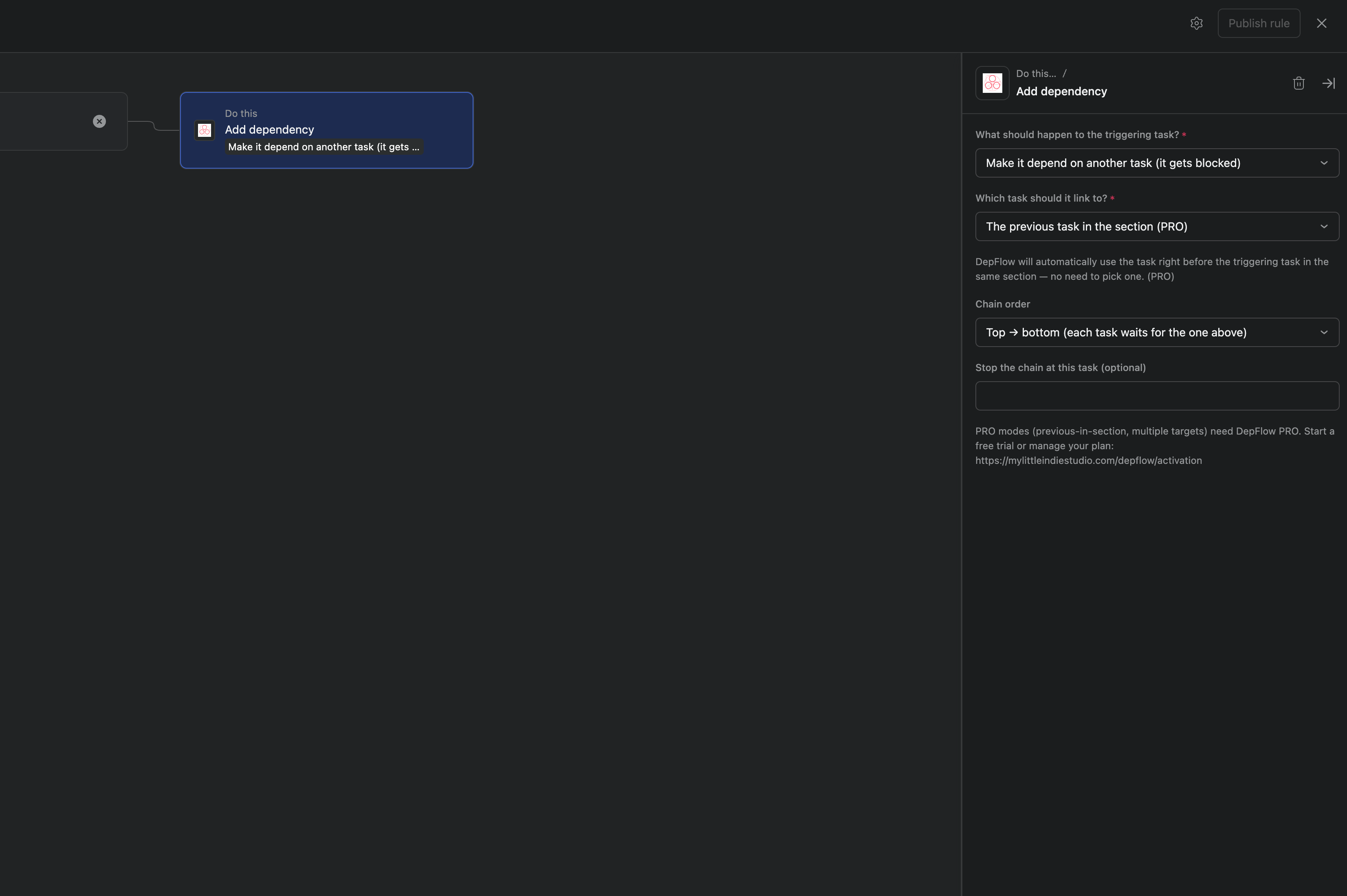
You have a section that is really a process. The tasks in it are meant to happen in order, one after the other. Employee onboarding, for example: Paperwork, then Accounts, then Training, then First assignment.
So you set it up the way Asana asks you to. You open Accounts, mark it "waiting on" Paperwork. You open Training, mark it "waiting on" Accounts. You open First assignment, mark it "waiting on" Training. Three tasks, three trips into three different tasks, a dozen clicks.
Then someone adds a step in the middle. Or reorders the column. Now the chain is wrong, and you go back in and redo it by hand.
And here is the part that stings: Asana rules cannot do this for you. A rule can move a task, add a comment, assign someone. It cannot set a single dependency. So the one chore that actually repeats stays manual, forever.
DepFlow adds the rule action Asana is missing. One rule, set up once, and every task in the section waits on the task directly above it. Add cards top to bottom and each one lines up behind the one before it. Reorder the column and the next card simply waits on its new neighbour.
What you are building
The triggering task depends on the task directly above it, in the same section. These are tasks in a section, not subtasks. Run the rule once and DepFlow reads the section top to bottom and builds the whole ladder: Accounts waits on Paperwork, Training waits on Accounts, First assignment waits on Training.
Set it up once
- Open your project. Go to Customize → Rules → Add rule.
- Pick a trigger. For a section that keeps growing, Task added to section is the natural one (each new card gets wired the moment it lands). If you would rather fire it on demand, Run manually puts a button on every task and you click it whenever you want.
- Click Add action, search DepFlow, and choose Add dependency.
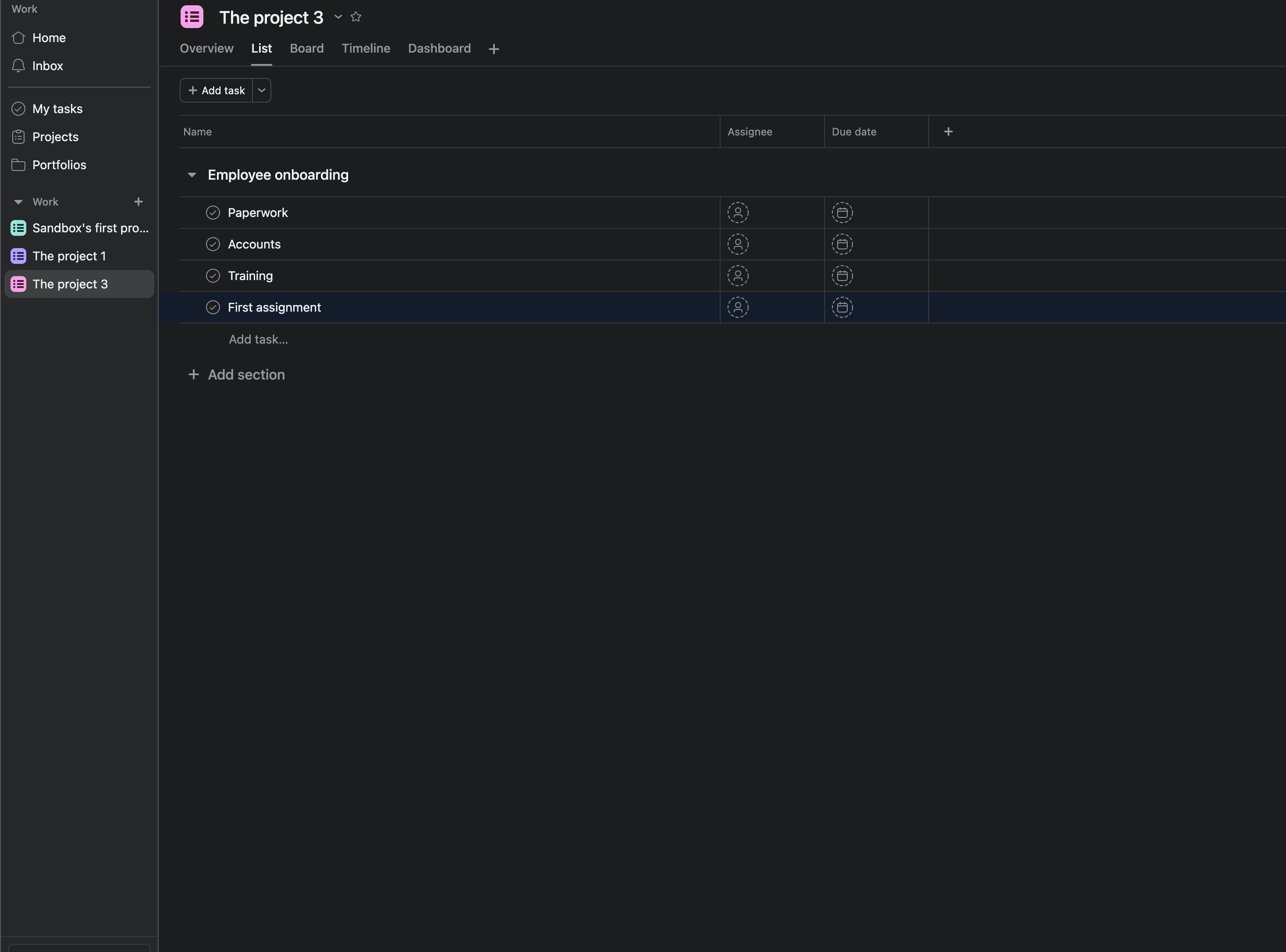
- Set the direction to depends on (the task gets blocked by another, rather than blocking it).
- For the target, choose The previous task in the section. There is no task picker here. DepFlow figures out the section and its order when the rule runs, so the same rule works in any section.
- Leave Chain order on Top → bottom (each task waits for the one above it). Publish the rule.
What you get
Now the section behaves like a pipeline. Paperwork is open and startable. Accounts shows a "Blocked by" marker pointing at Paperwork. Training waits on Accounts. First assignment waits on Training. Each person is notified the moment the task above them is done.
Add a fifth task to the bottom and it waits on First assignment. Drag Training above Accounts and re-run, and the next card waits on its new neighbour. The chain follows the order of the column, not a list of task names you had to type in.
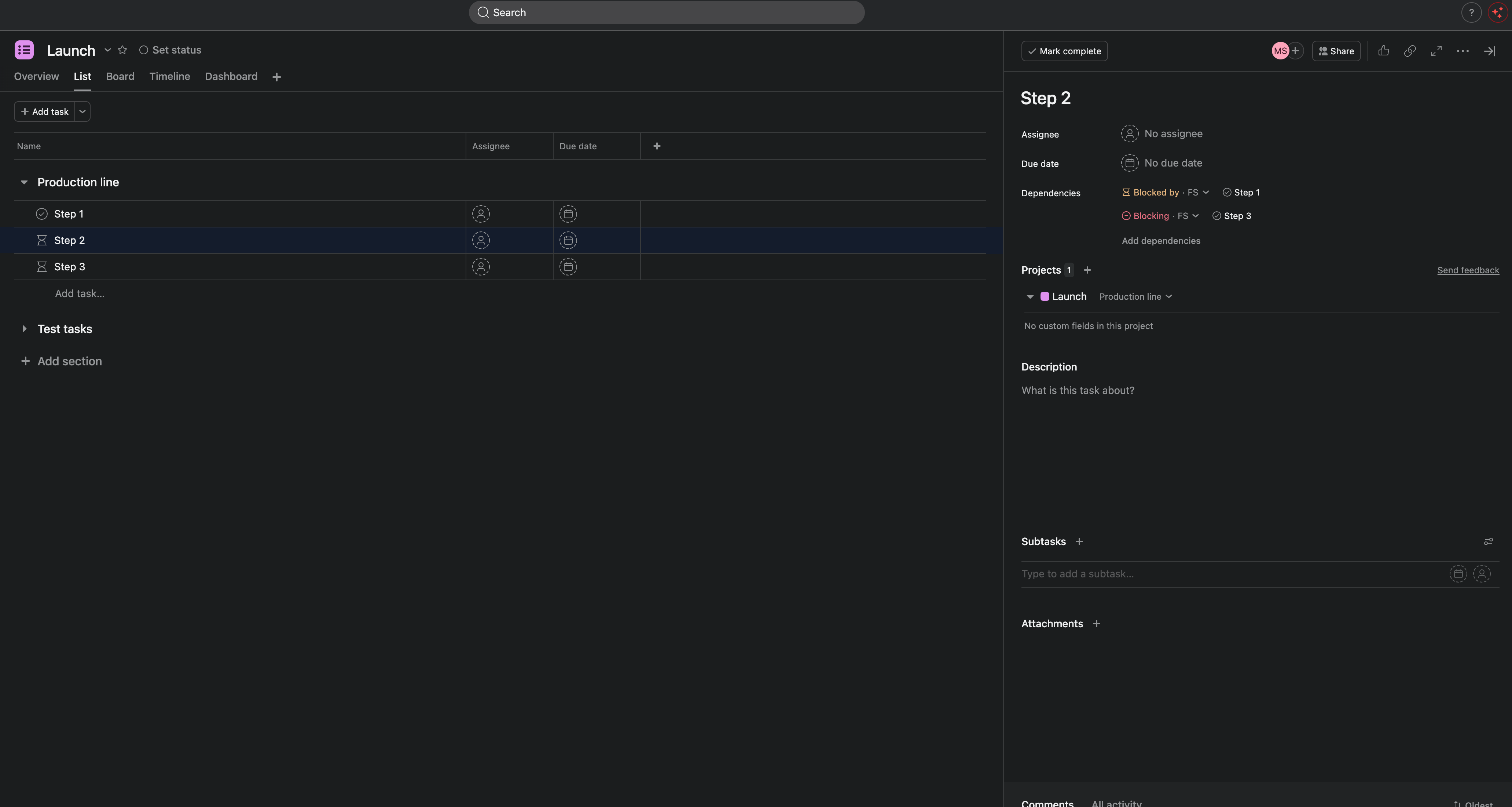
One honest note: Asana dependencies warn, they do not hard-lock. A blocked task shows the marker and notifies people, but Asana will still let someone complete it. That is Asana's own behaviour, the same for dependencies you set by hand. DepFlow just sets them for you, every time, in the right order.
This works on sections of up to 50 tasks in a single run. Larger sections are refused whole (nothing partial), so split them if you hit that.
Good to know
- Free. "The previous task in the section" is on the Free plan, within the shared 100 runs per month per workspace.
- Re-running is safe. Fire the rule again and nothing doubles. Asana ignores links that already exist, and DepFlow dedupes its own work. After a reshuffle, just run it again.
- It only adds dependencies. DepFlow never completes, reassigns, or edits your tasks.
Related pipelines
- Gate a whole section behind another section (Discovery must finish before Build): Phase gate between sections.
- Chain the subtasks inside a single task instead of tasks in a section: Chain subtasks.
- The five rule actions Asana is missing, in one place: Five missing rule actions.
Get DepFlow: it is free on the Asana App Directory. Install it once, add a rule, and it does the wiring the moment your rule fires. See all the actions and plans.