To translate Dutch video to English while you watch, the route I use in Chrome is to work from the video's Dutch captions. Turn them on in the player, let an extension translate them, and listen to an English voice played over the quieter original. That works whenever the player exposes a caption track. If the video has no captions at all, there is nothing for this method to translate.
Dutch looks easy next to English. Plenty of words are near twins (water, appel, huis). Most of the odd English lines you will hear come from split verbs, the Flemish vs Netherlands split, and a handful of false friends. I cover those after the setup.
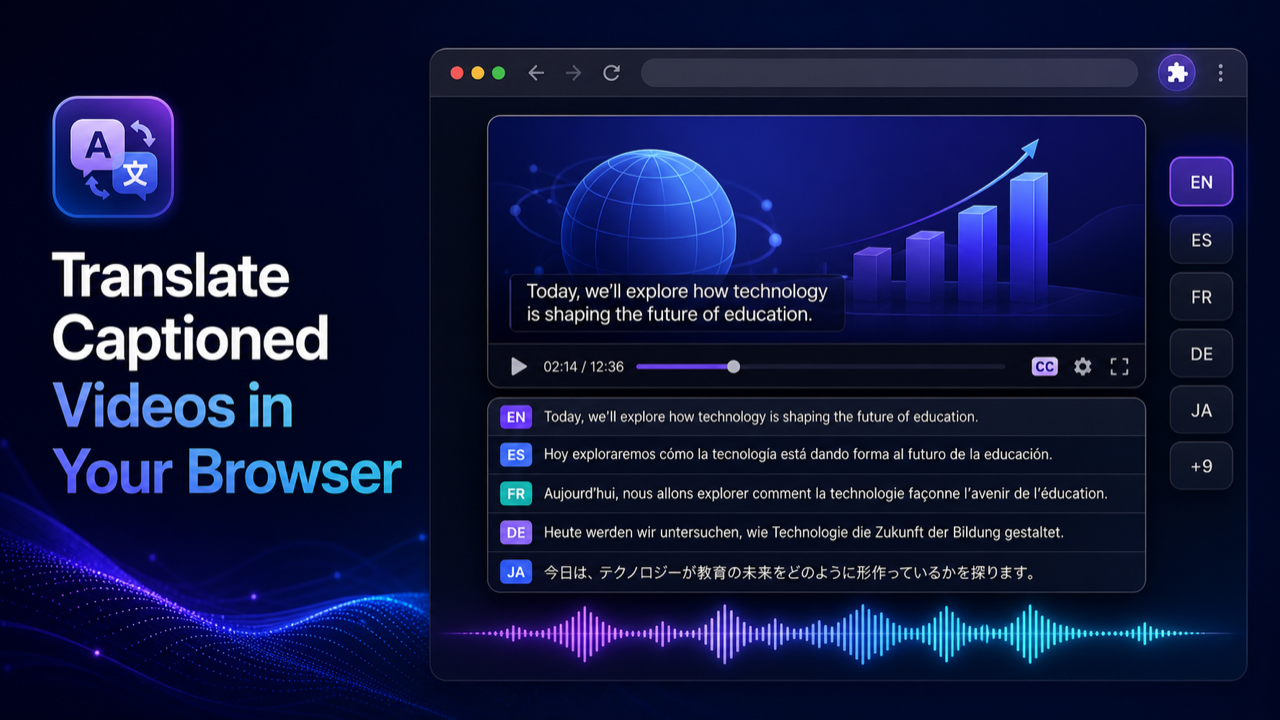
Short answer: turn on Dutch captions, click the Dub button the Multiplatform Video Translator extension puts on the video, choose English, and press play. You hear an English voice over the lowered Dutch audio, free with Google Translate and an on-device voice. Videos without any caption track cannot be translated this way.
What you need before you start
- Chrome on a desktop or laptop. Mobile browsers are not supported.
- The Multiplatform Video Translator extension.
- A Dutch video with a caption track the player can show. Creator subtitles and auto-generated captions both count.
- A site with a normal HTML5 player. Tested: YouTube, YouTube Shorts, Udemy, Coursera, edX, TikTok, TED, Vimeo, Khan Academy, gamedev.tv, Zenva and Domestika. Other captioned players may or may not work, so try one video first.
How to translate a Dutch video to English, step by step
- Install the extension and open the Dutch video.
- Turn on Dutch captions in the player (the CC button, or Settings > Subtitles/CC on YouTube). If there are several tracks, pick the Dutch one.
- Click the Dub button the extension places on the video.
- In the on-video controls, choose English, Standard mode, Google Translate as the engine, and an English voice.
- Press play. The extension translates each caption segment, generates a separate English speech track synced to the player, and lowers the Dutch audio underneath.
- Switch on the translated English subtitles if you want to read along.
Nothing is downloaded or re-encoded. The English track lives in the tab and disappears when you close it.
If text is enough, YouTube can do part of this alone: gear > Subtitles/CC > Auto-translate > English. You get English subtitles but no voice. The YouTube to English guide covers that path.
The free path
Standard mode with Google Translate and the on-device Piper voice costs nothing and needs no account. English voices are available on the free path. The Piper voice runs inside the extension on your machine, so speech generation is not sent to a remote TTS service. The caption text does go to Google Translate. The video itself is never uploaded anywhere.
The voice menu also has an optional "Free Online" voice. It is a separate choice and needs an internet connection.
PRO adds real-time mode, premium local voices, cloud voices, browser and OS voices, LLM translation, your own AI provider keys, and unlimited AI translation without a key. You do not need any of it to get English out of a Dutch video.
Where Dutch to English translation goes wrong
Flemish vs Netherlands Dutch
Dutch from the Netherlands and Flemish from Belgium share a written standard, but speech differs a lot. Flemish speakers use ge/gij for "you", say "goesting" for desire or appetite, and pronounce many sounds softer. Auto-generated captions are usually trained mostly on Netherlands Dutch, so a Flemish vlogger or a West Flemish speaker tends to get a noisier caption track than an NOS news presenter. The extension translates the caption text as it is. A misheard Dutch word becomes a confident but wrong English word. Belgian broadcasters such as VRT often publish their own subtitles; when a creator uploaded a track, use it over the auto-generated one.
Separable verbs split across lines
Dutch verbs like opbellen (to call), afmaken (to finish) and meenemen (to take along) split in main clauses: "Ik bel je morgen op." The particle "op" lands at the end, and it changes the meaning. "Ik maak het af" is "I finish it", while "Ik maak het" is just "I make it". Captions are cut by time, not grammar. If the line break falls between "maak" and "af", the first segment gets translated as "make" and the dub says something slightly wrong before the next line fixes the picture.
Verb-final subordinate clauses
After words like dat, omdat, als and wanneer, the verb goes to the end: "omdat hij gisteren niet naar de les is gekomen" (because he did not come to class yesterday). Long clauses get split, so the English for the first half can sound incomplete or vague until the verb arrives. If a sentence in the dub sounds unfinished, wait for the next segment before blaming the translation. This is the same issue German has; see the German to English guide for how it plays out there.
Je and jij vs u
Dutch has informal je/jij and formal u. English has one "you", so the tone of a doctor addressing a patient as u and friends using je is lost. Short words cause a second problem: "je" is also the unstressed form of "your" ("je fiets", your bike), and "u" can be singular or plural. Out of context the translator usually gets it right, but not always.
Diminutives with -je
Dutch adds -je, -tje or -pje everywhere: huisje, kopje koffie, momentje, biertje. Often it means small, but just as often it is friendliness or nothing at all. "Even een momentje" is "just a moment", not "a little moment". Machine translation sometimes adds "little" where no native speaker would, which makes a casual vlog sound oddly cute in English. Some diminutives are separate words: "meisje" is just "girl", "kaartje" is usually "ticket".
g, ch and caption errors
The Dutch g and ch are the same throaty sound in most of the Netherlands (and softer in the south and Flanders). Speech recognition sometimes confuses words that differ only around that sound, or mishears unstressed endings like -en and -e, which are often dropped in fast speech. "Lachen" (laugh) and "lagen" (lay, layers) is the kind of pair that can swap. If an English line makes no sense, look at the Dutch caption: the mistake is often already there.
False friends
Some Dutch words look like English ones and mean something else. Machine translation usually handles them, but in short caption fragments without context they slip through:
| Dutch word | Means | Does not mean |
|---|---|---|
| eventueel | possibly, if needed | eventually |
| actueel | current, topical | actual |
| brutaal | cheeky, impertinent | brutal |
| door | through, by | door (that is deur) |
| slim | smart, clever | slim, thin |
If an English line says "the eventual plan" where only "a possible plan" makes sense, eventueel is the likely cause.
Numbers and names
Dutch writes 3,5 for 3.5 and 1.000 for 1,000, so check figures in finance or engineering content. Place names such as Den Haag (The Hague) are usually translated correctly, but surnames that are also ordinary words, like Bakker (baker) or Visser (fisher), can get translated as if they were nouns.
What this method cannot do
It translates caption text and reads it aloud, nothing more. No speech recognition on audio, so no captions means no translation. No lip sync, no voice cloning. No SRT or VTT import or export, no rendered or downloadable translated video, no local file upload, and it cannot read text burned into the picture. It does not work on DRM services such as Netflix or Prime Video, on live streams, or in mobile browsers.
On an Android phone, the Chrome extension will not run, so there is the Multiplatform Video Translator Android app. It opens video sites in its built-in browser, you tap Dub on the player, and it covers 70+ languages with 40 free minutes a day without a subscription. For some videos without subtitles it can run speech recognition first. There is no iPhone version yet.
For other source languages, the translate video to English hub links the per-language guides.
FAQ
Can I translate a Dutch video to English if it has no subtitles?
Not with the Chrome extension. It needs a caption track. On YouTube, check whether auto-generated Dutch captions exist; many videos have them even when the creator added none.
Is it free?
Yes, on the default path: Standard mode, Google Translate and the on-device Piper voice, with English voices included and no account.
Does it handle Flemish?
It translates whatever the Flemish captions say. Creator subtitles usually work well. Auto-generated captions for strong regional Flemish are noisier, and those errors carry into the English.
Will the English voice match the speaker's lips?
No. It is a separate audio track timed to the caption segments. The picture is unchanged.
Can I save the translated video?
No. The English voice and subtitles play live in the tab. There is no export or download.