
Getting Started with DepFlow: Add the Missing Rule Actions to Asana
Asana rules are great until you hit their edges. You can trigger on a task being added, move it, set a due date. But there are a few things the rule builder simply cannot do. It cannot set a dependency between tasks. It cannot duplicate a task. It cannot assign to the least busy person, or post a comment two days from now.
DepFlow adds those actions. You install it once from the Asana App Directory, and from then on it shows up right inside your Rules builder, next to Asana's own actions. Nothing to run on your side, no separate app to open.
This is the start-here guide. By the end you will have DepFlow connected and your first rule live.
Install and connect
You do this once, and it covers your whole workspace.
- Open the Asana App Directory. In Asana, go to your profile → Apps, or visit app.asana.com/-/apps. Search for DepFlow. (You can also click Add to Asana on the DepFlow site.)
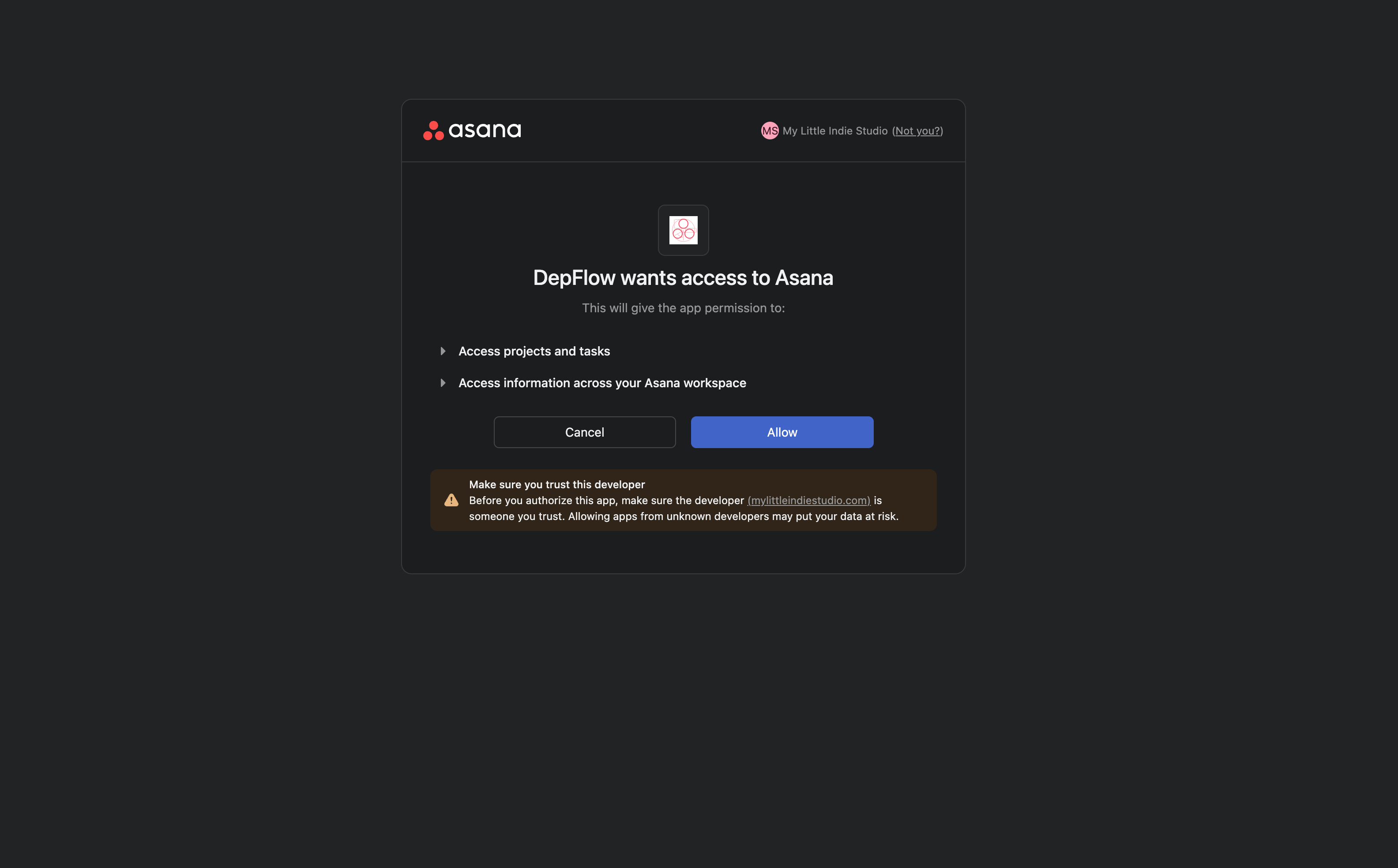
- Click Add to Asana, then on the Asana consent screen click Allow. This grants DepFlow permission to create dependencies (and duplicate, assign, and comment) on your behalf. It only ever acts inside the workspace you connect.
- If your account has several workspaces, pick the one you want DepFlow to run in. One connection covers that whole workspace. Your teammates do not each need to install it.
- That is it. There is nothing to install locally and no server to set up. DepFlow now lives inside Asana's Rules builder.
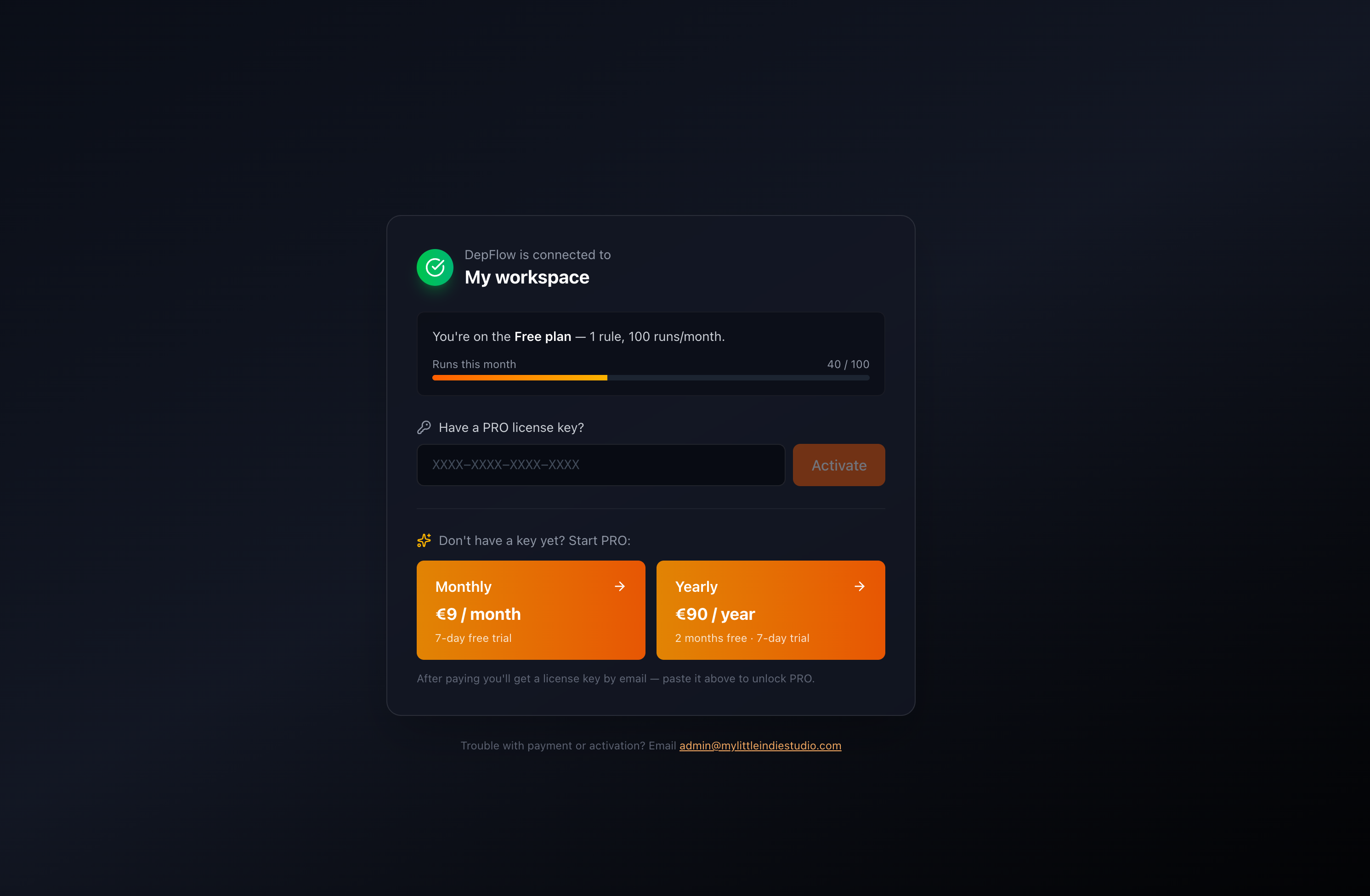
Once you approve, DepFlow is connected. You will get a short welcome email confirming the connection to your workspace. It lays out what is free right now (all the dependency modes plus the full Duplicate task, up to 100 runs a month) and what PRO adds (unlimited runs, Smart assign, Scheduled comment). No panels or buttons get added to your tasks. DepFlow appears in exactly one place: the Rules builder.
Your first rule
Every DepFlow feature follows the same four steps. Start with the simplest one: chaining a task's subtasks so they run in order.
- Open Rules in your project (Customize → Rules → Add rule).
- Pick a trigger. The most flexible is Run manually, which puts a rule button on every task so you fire it whenever you want. Any Asana trigger works, though. For fully automatic wiring, try Task is added to this project.
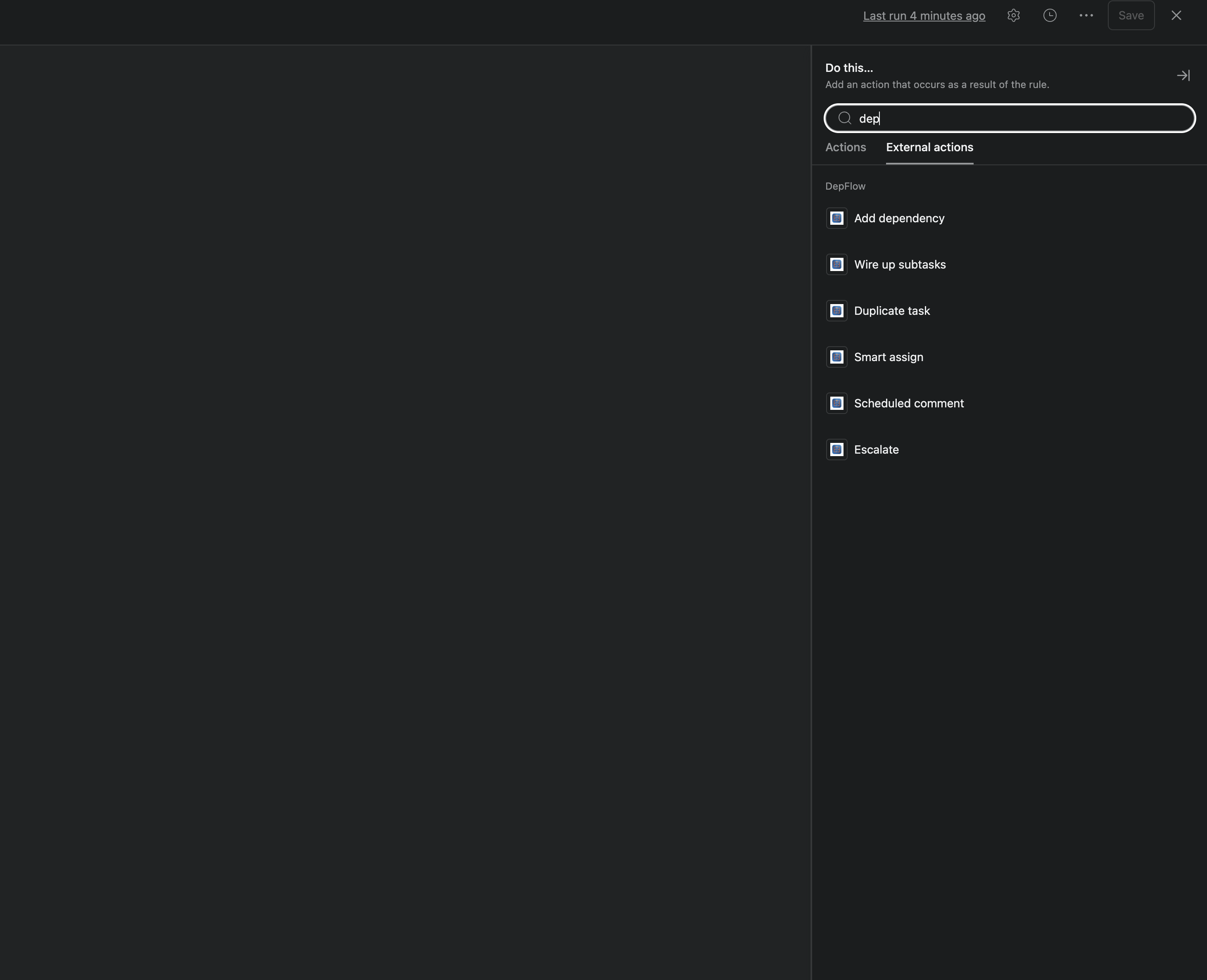
- Click Add action, search DepFlow, and choose Wire up subtasks. In its small form, pick the mode Chain subtasks.
- Publish the rule. Now open a task that has subtasks, click the rule button, and watch each subtask line up behind the one before it. Draft blocks Edit, Edit blocks SEO, SEO blocks Publish.
That is the whole pattern: open Rules → Add action → DepFlow → pick an action → configure → Publish.
A few things hold for every DepFlow action:
- Re-running is safe. Firing the same rule twice on the same task never duplicates anything. Asana ignores links that already exist, and DepFlow deduplicates its own work.
- Rules skip quietly, they do not hard-fail. If something cannot be wired (no PRO, quota reached, a section too large), DepFlow skips and records why. Your rule never turns red.
- DepFlow only ever adds. It never deletes, completes, reassigns, or edits your tasks.
- Your token is encrypted and never leaves the server. DepFlow acts only inside the one workspace you connect.
The six actions
Here is the full set, one line each, with links to the deep dives.
- Wire up subtasks. Chain a task's subtasks in order, or make the parent wait for all of them, or make the subtasks wait for the parent. See Chain subtasks, Parent waits for all subtasks, and Subtasks wait for parent.
- Add dependency. Link the triggering task to specific tasks, to the previous task in its section, or to a whole other section. See Sequential pipeline in a section and Phase gate between sections.
- Duplicate task. Copy the triggering task on a rule: choose what carries over, where it lands, its due date, and its name. See Duplicate task.
- Smart assign (PRO). Assign to the least-loaded teammate or by round-robin, from a team or the whole workspace, skipping anyone out of office. See Smart assign.
- Scheduled comment (PRO). Post a comment on the task later, after a delay or on a chosen date. Asana rules cannot wait like that. See Scheduled comment.
- Escalate (PRO). An SLA timer that checks before it acts: wait, re-check the task, and only nudge (comment, reassign, add a follower) if it is still stalled. See Escalate.
Want the big picture on why these are the actions Asana leaves out? See The five missing rule actions.
Free vs PRO
DepFlow has one flat price. There is no per-seat charge, and unlimited seats are included. One subscription covers every member and every project in the connected workspace.
Here is the split:
- Free. Every dependency mode (chain, parent waits, subtasks wait, previous-in-section, section-to-section) and the full Duplicate task (every copy option, due-date changes, another destination project, name templates). Up to 100 rule runs per month, shared across the whole workspace.
- PRO. Removes the monthly cap (unlimited runs) and adds the three PRO-only actions: Smart assign, Scheduled comment, and Escalate.
Install free from the Asana App Directory, and try Chain subtasks on your next project. When you are ready for the PRO actions, one flat price unlocks the whole set.
Get DepFlow: it is free on the Asana App Directory. Install it once, add a rule, and it does the wiring the moment your rule fires. See all the actions and plans.